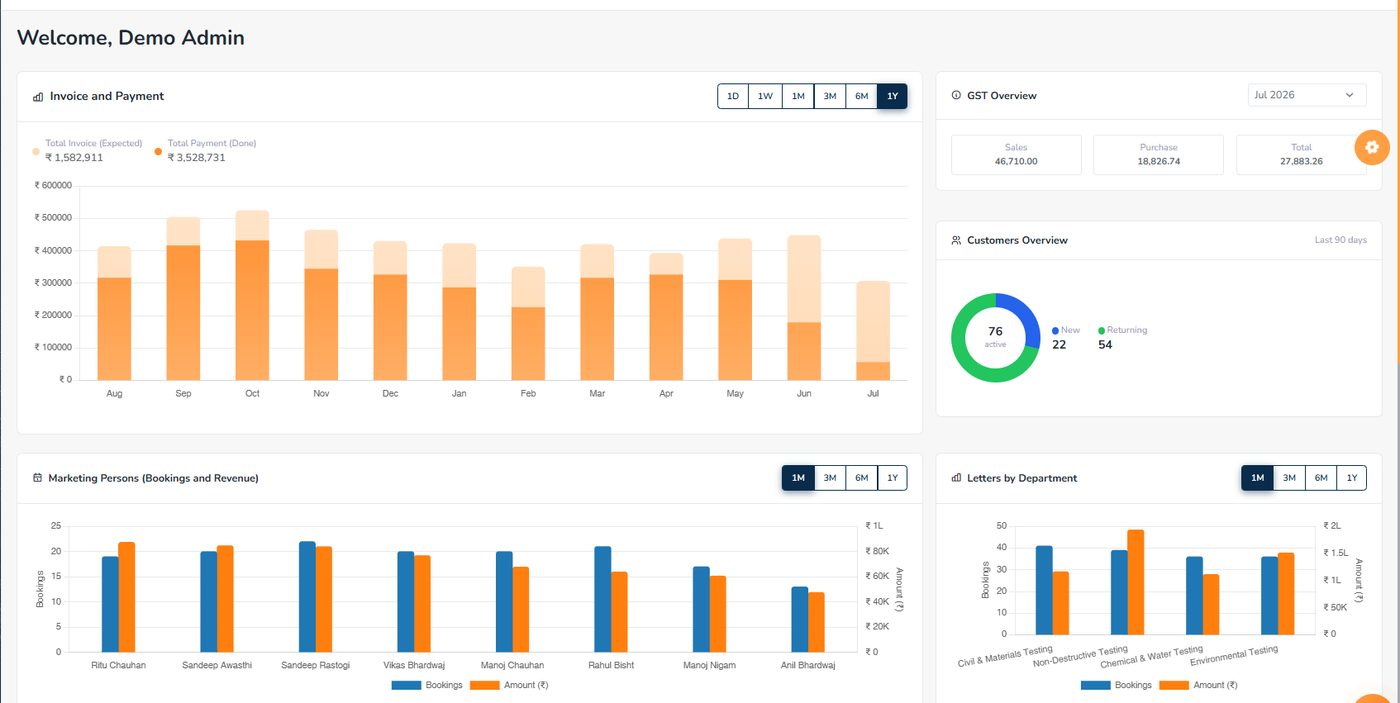
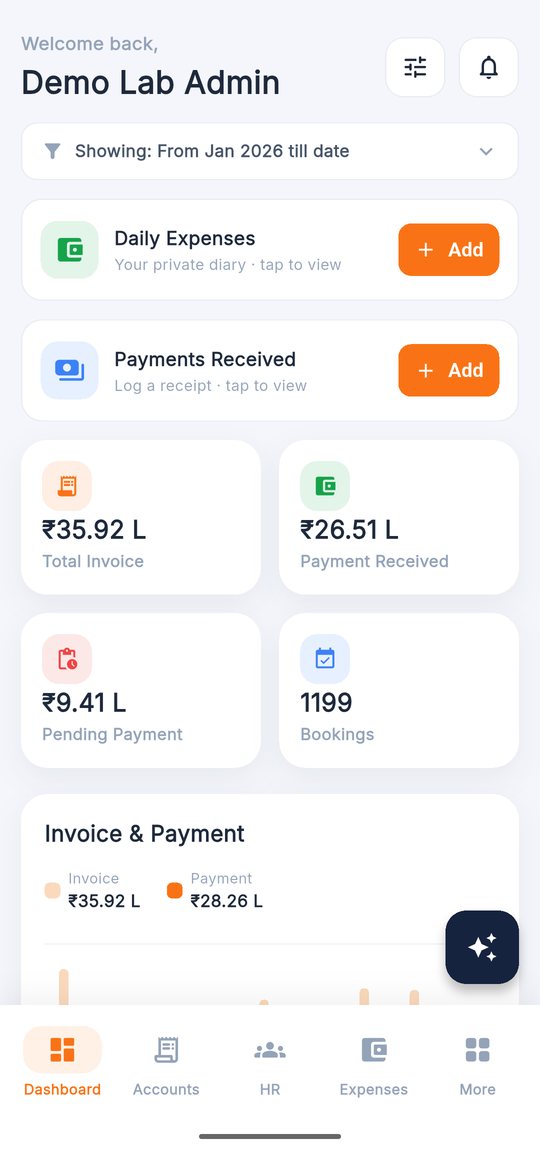
Dashboard
KPIs, charts and overview widgets.
GenLIMS books the samples, tracks the testing, prints the reports, raises the GST invoice and keeps the records an NABL assessor asks for — with a field app whose camera stamps every sample photo with time and GPS, and AI that reads letters and checks reports.
Sign in with demo@genlims.in · GenLIMS@Demo1 — a year of sample data, reset every night. App logins →
A register at the reception, results in Excel, reports in Word, bills in Tally, follow-ups on WhatsApp, and the NABL files in a cupboard. Every hand-off is a place where a sample is missed, a bill is forgotten or a report goes out with the wrong number on it.
GenLIMS grew inside a working NABL-accredited testing laboratory, where these were daily problems. The letter is entered once; everything after it is generated from that one entry.
Click through the day of a testing lab — every screen is from the live demo.
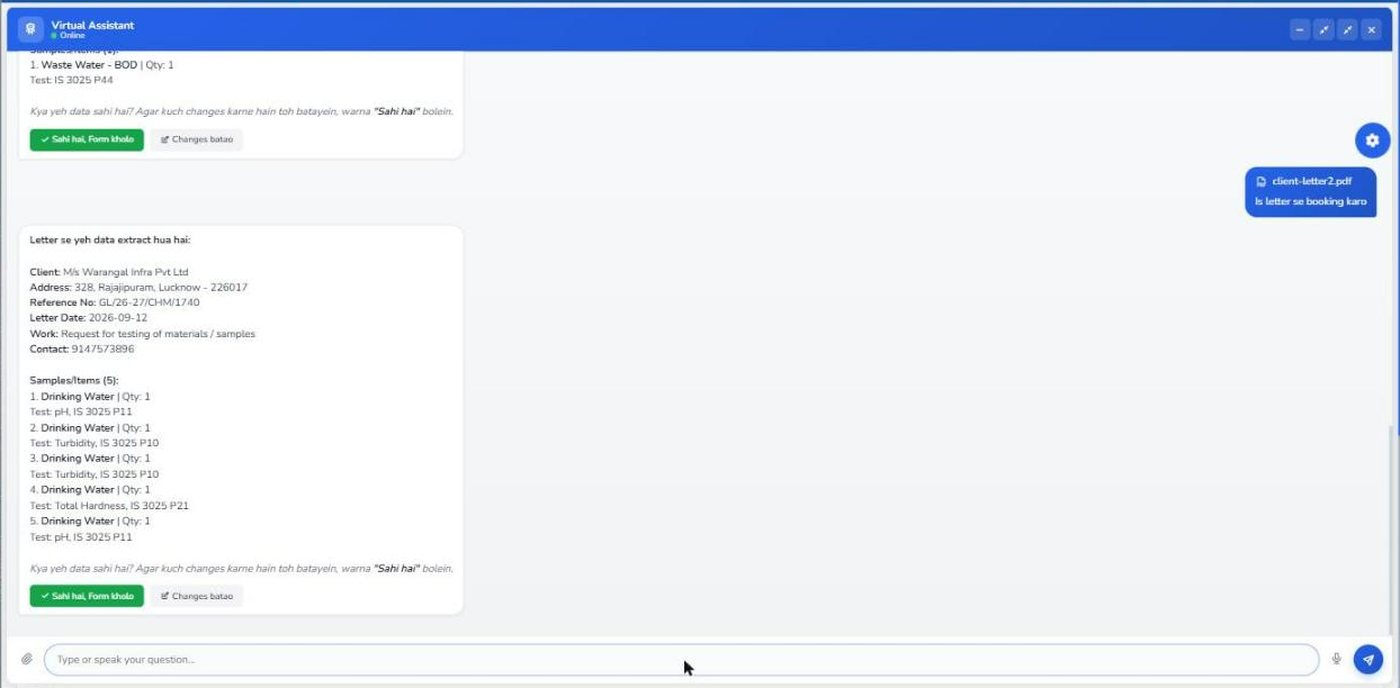
Enter the letter once — or upload it and let GenLIMS AI read the client, reference, date and every sample with its test. Job orders and the booking letter are created with it.
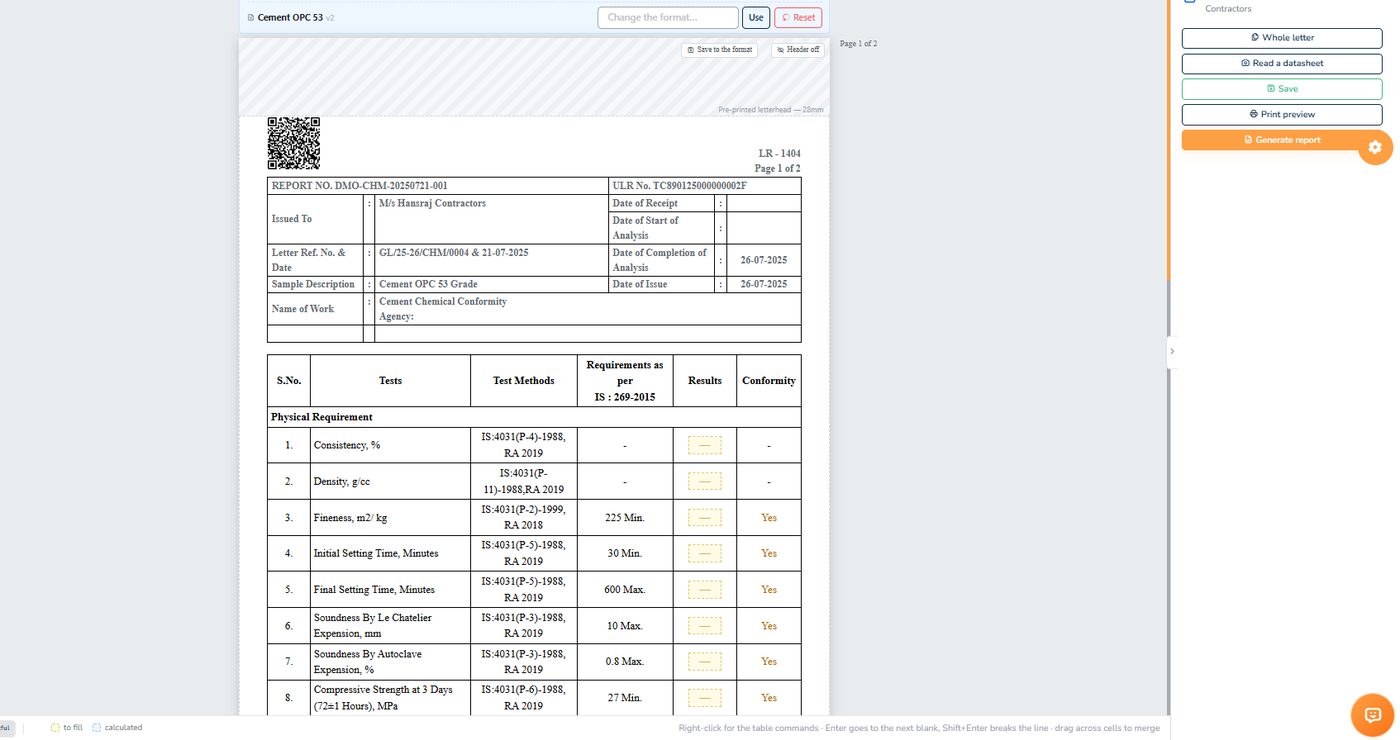
The pending register shows what is due and why anything is held. Reports are generated on your own format with ULR and QR, read by AI for mistakes, and dispatched in two stages.
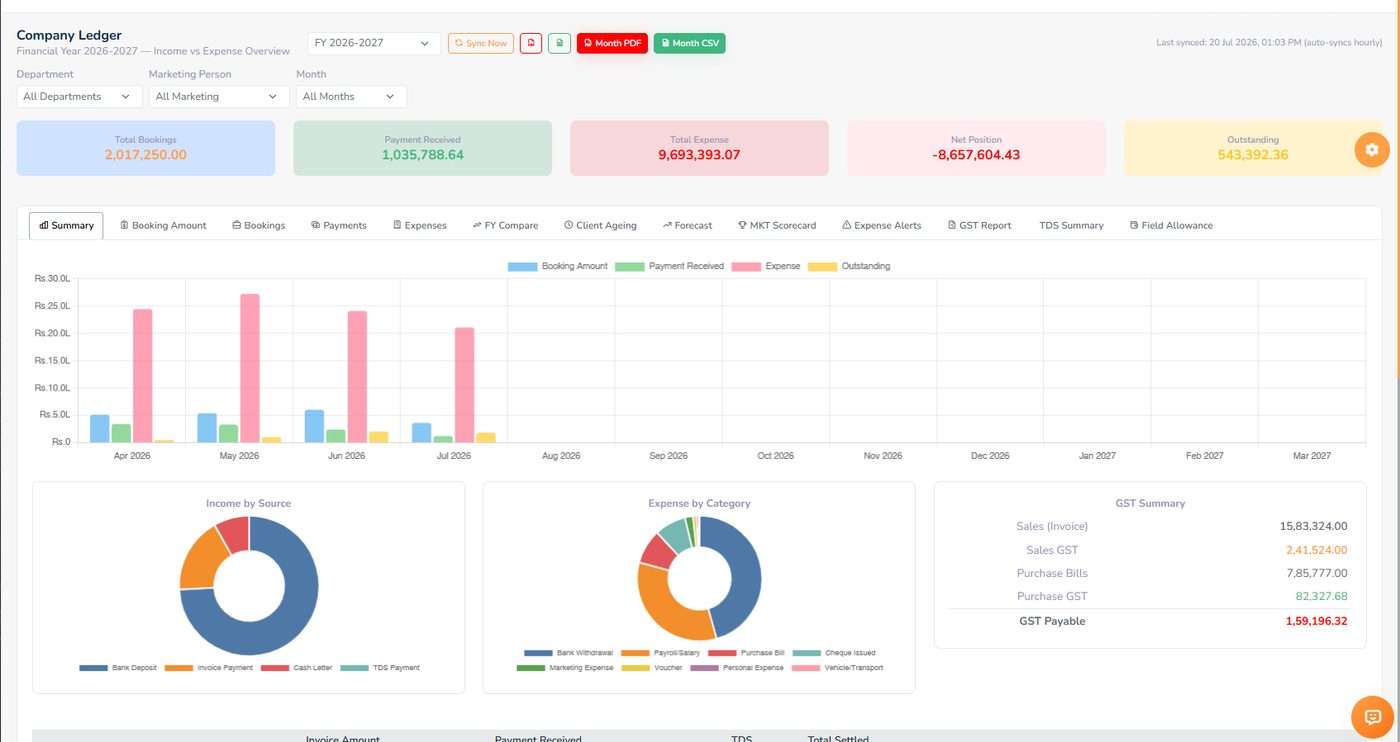
The GST invoice is built from the booking's own items. Part payments, TDS, cheques and bank entries land on the same client ledger — and the company ledger drills down from a year to a single job order.
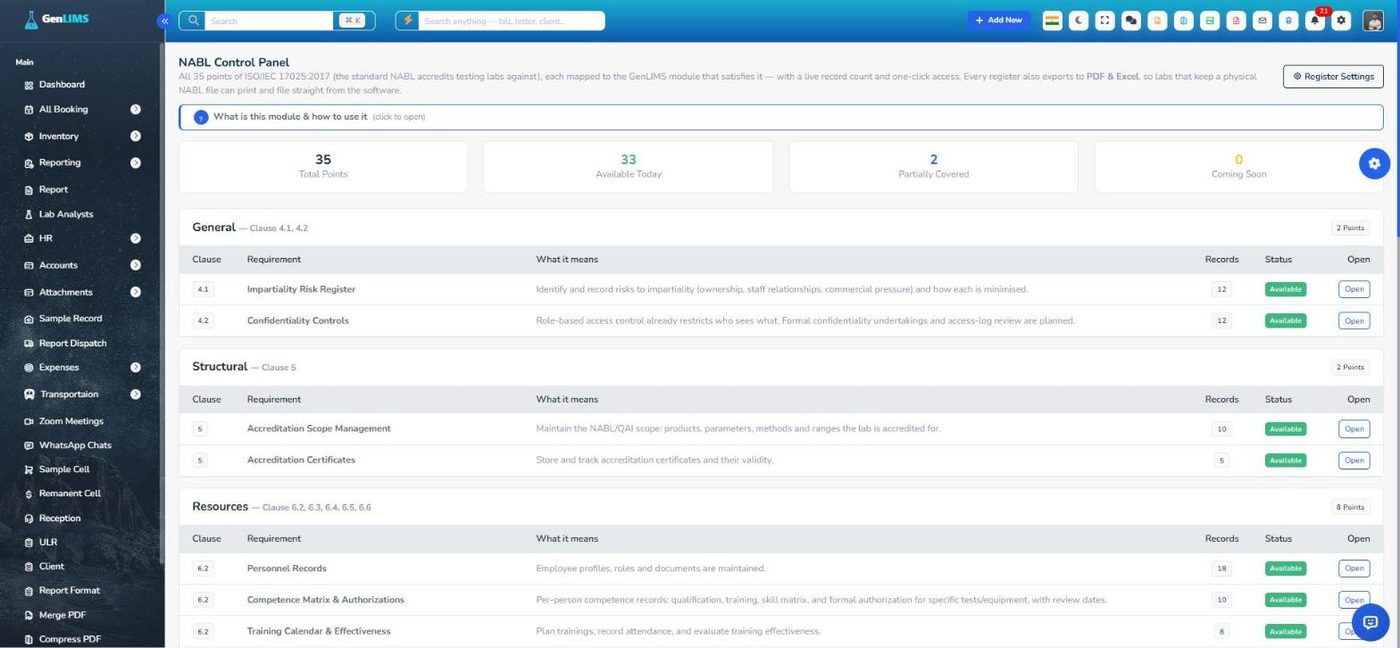
All 35 ISO/IEC 17025 points mapped to the screen that satisfies them, with a live record count — audits, CAPA, complaints, calibration, competence, PT/ILC and the rest, each exporting to PDF and Excel.
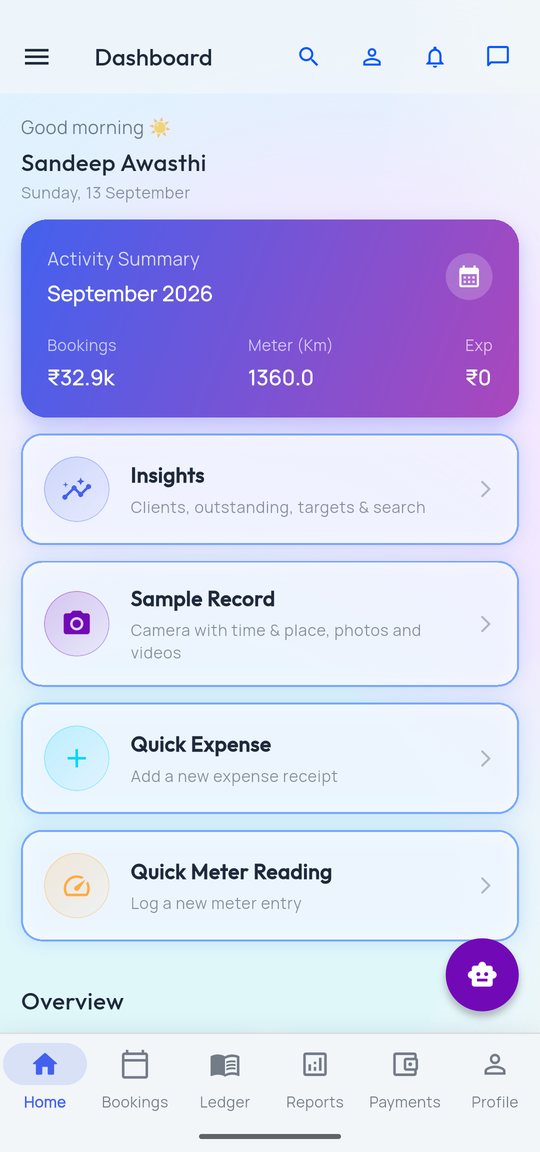
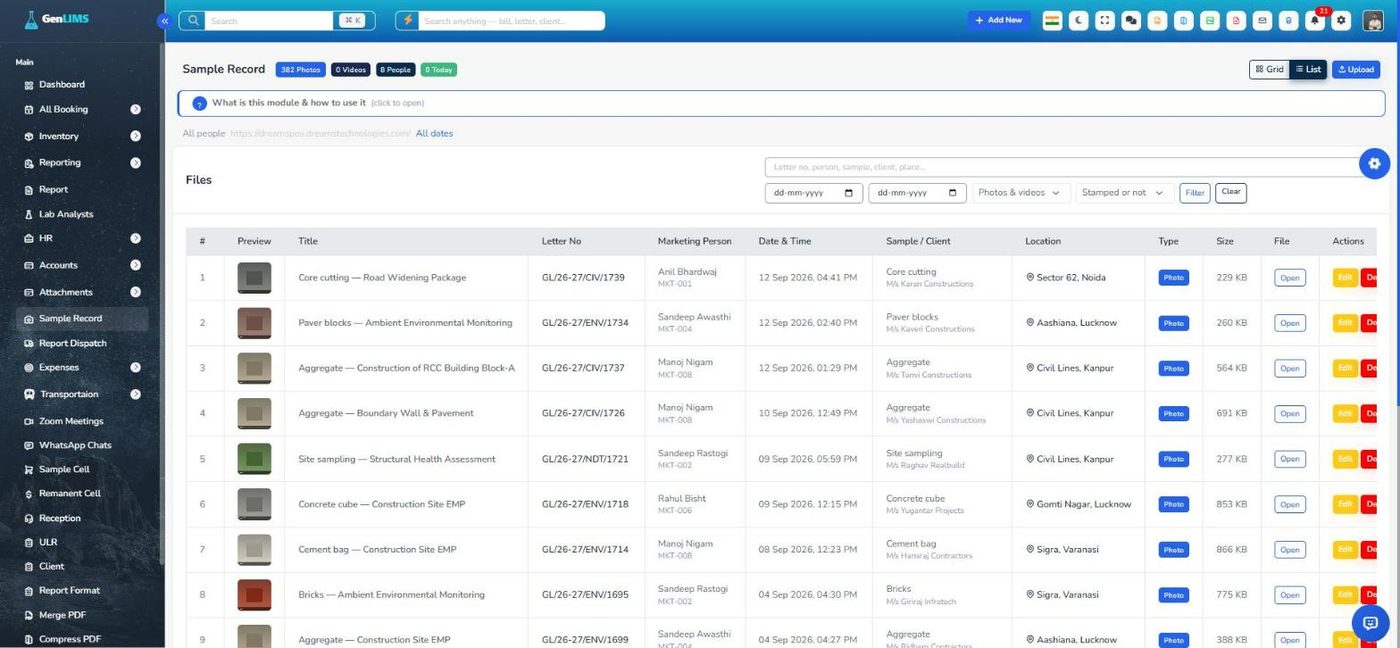
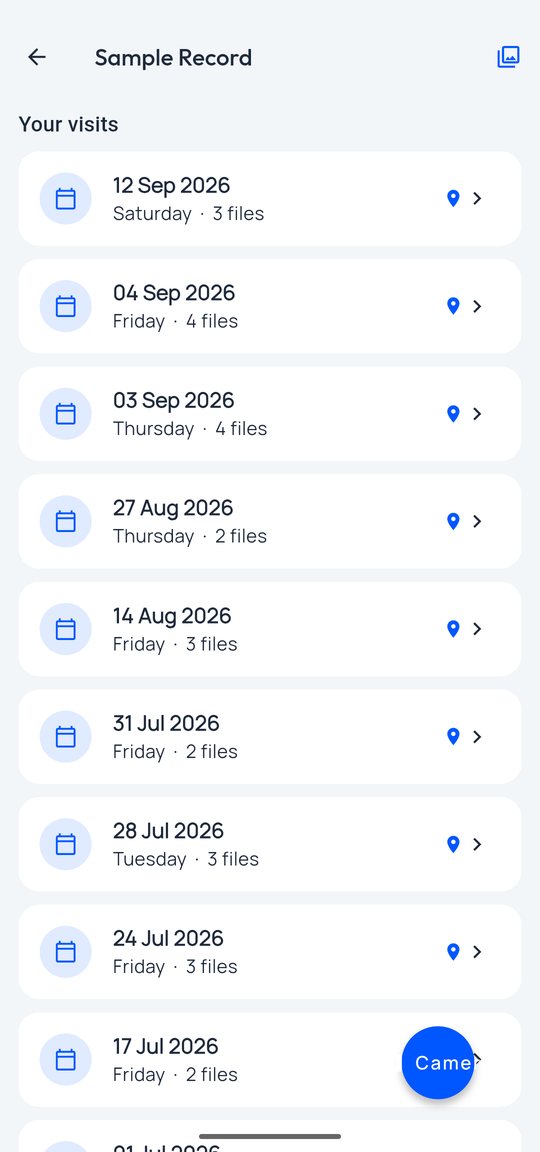
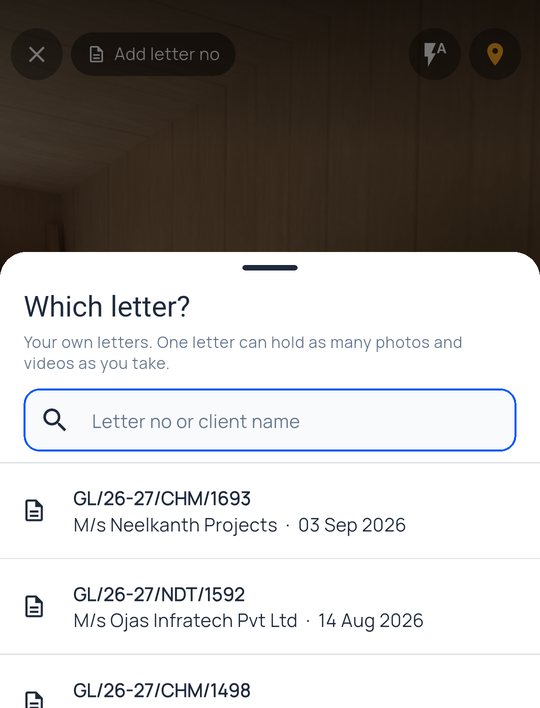
The field app's camera stamps each photo with the address, GPS, time, the marketing person and the client letter — and the lab sees it under Sample Record, filed by person, day and letter.
Two places where a lab loses the most time and makes the costliest mistakes: typing a client's letter into a booking, and checking a report before it is signed. GenLIMS does the reading; a person still confirms and signs.
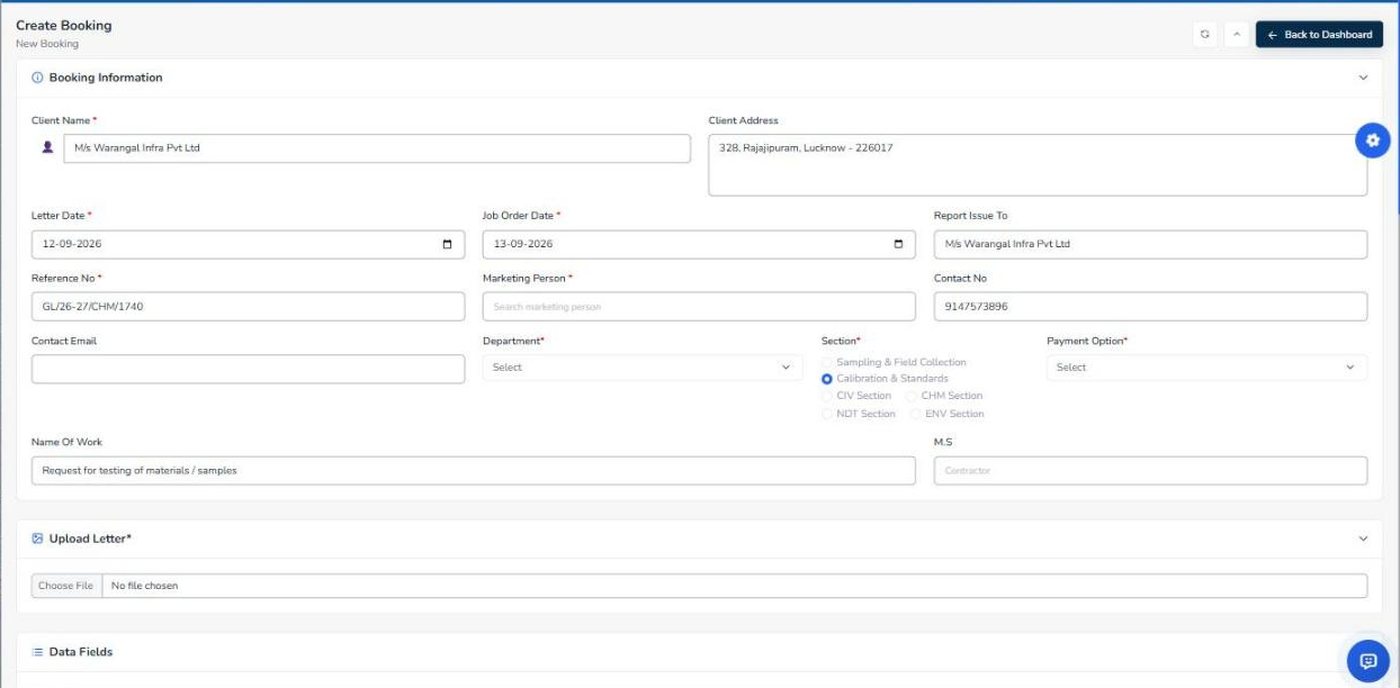
Client, address, reference number, letter date, and every sample with its quantity and test — read from a PDF, scan or photo, shown back to confirm, then filled into the form row by row.
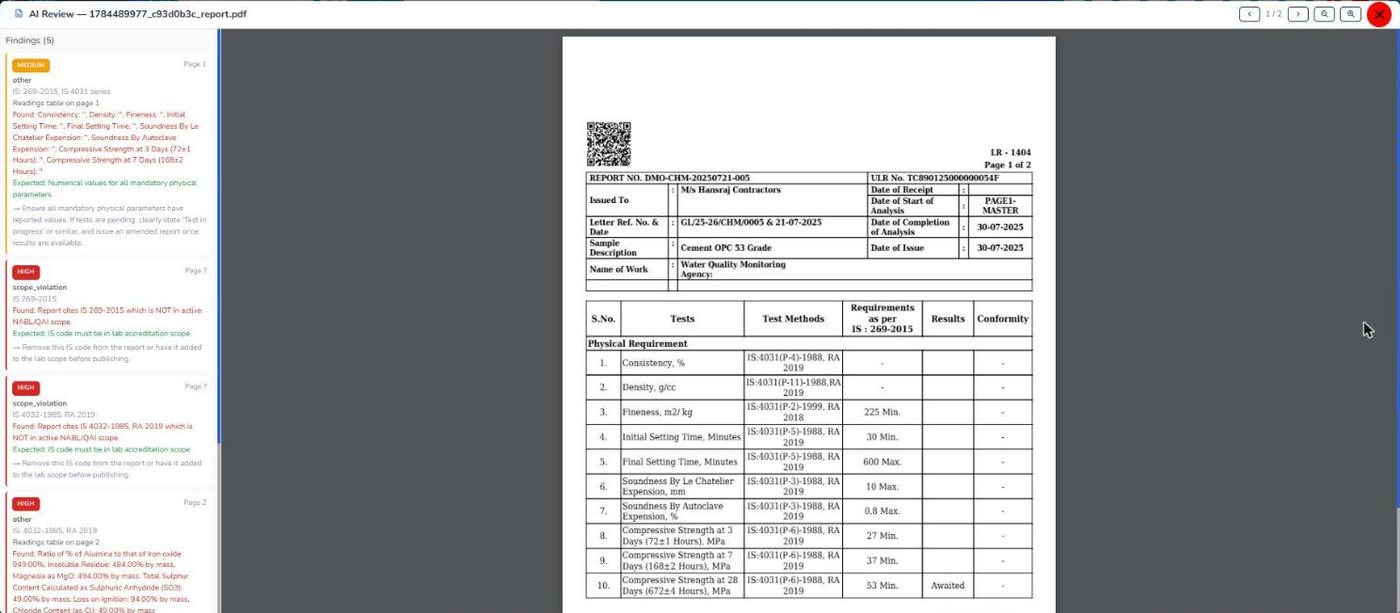
Blank readings, a value that cannot be right, a pass marked against a failing value, or an IS code outside your accredited scope — flagged with the page, what was expected and what was found.
A sample photo is only useful later if nobody can argue about when and where it was taken. The field app writes that onto the picture and files it against the client's letter.
Core modules come with every plan. Add-ons are switched on when a lab needs them, and can be added later without a reinstall.
KPIs, charts and overview widgets.
Test bookings, samples and job orders.
Sample lifecycle, report generation, dispatch, QR verification.
GST tax invoices, proforma, payment tracking, TDS.
Create, send and track quotations.
Banking, cheques, ledgers, reconciliation.
Products, stock, stores and suppliers.
Employees, biometric attendance, leave, payroll.
Marketing persons, expenses, enquiries, commissions.
Client records and ledgers.
Built-in IMAP inbox, templates and folders.
Template messages and chat integration.
Internal messaging, file sharing and Zoom meetings with attendance.
Accreditation scope, certificates, IS codes, calibration.
Natural-language queries and AI report review.
Vehicle records and service tracking.
Android apps for admins and marketing staff.
Public website for the lab, managed from the admin panel.
Roles, permissions, 2FA, white-label branding and licensing.
Every screen, module by module Screen-by-screen tour Feature list (PDF)
GenLIMS keeps every register ISO/IEC 17025 expects from a testing laboratory, with the clause it answers to. An in-app roadmap shows the live status of all 35 points, so the week before an assessment looks like any other week.
Accreditation is granted by NABL on the strength of your own quality system. GenLIMS keeps the records; it does not replace the work. All 20 registers by clause →
No two laboratories fill the same form. If a module needs an extra field, your report style, or a step in a different order, it is changed during installation and the change is part of the price.
Digital testing machines — compression testing machines, UTMs, balances and other instruments with a digital output — can be connected so results reach the report without being typed.
Managed cloud hosted by Gen SkyTech, or self-hosted on the lab's own server with a protected build and a signed licence file.
Your name, logo and colours on the panel, reports, invoices and the two Android apps.
Your data stays yours. Export on request; nothing is deleted when a subscription lapses.
Tests and rates, report formats, opening balances and staff training are set up with you.
Construction material testing
Concrete and cement
Steel and TMT bars
Soil and geotechnical
Water and environmental
Highway, bitumen and asphalt
Aggregate and building materials
Non-destructive testing
NABL-accredited labs and labs preparing for accreditation
It was built for material and construction testing — cement, steel, concrete, soil, water, bitumen, NDT — and runs those labs today. Test methods, report formats and rate lists are yours to define, so other testing disciplines fit as well.
The 35 process points ISO/IEC 17025:2017 expects from a testing laboratory each have a register in the software — document control, audits, CAPA, complaints, management review, risk, PT/ILC, competence, equipment, environment, QC, validation, sampling, nonconforming work, retention, suppliers, confidentiality and reporting. The roadmap screen shows the status of each.
Its camera stamps each photograph with the street address, GPS coordinates and accuracy, date and time, the marketing person and the client letter, and saves the same details on the record. If a time or place is typed by hand, the record says so.
Yes. A self-hosted licence ships as a protected build with a signed licence file. Your data stays on your infrastructure.
Nothing is deleted. The software locks until renewal, and we export your data whenever you ask.
Register your lab and we set up a trial installation with your name and logo, usually within one working day. No card is needed.
Changes made at installation to match your lab's process — extra fields, your report style, workflow changes — are included in every plan. Larger new modules are quoted separately.
Digital machines and instrument software with a data output can be connected so results reach the report without retyping. Tell us which instruments you run and we plan the connection during onboarding.
GenLIMS is a laboratory information management system for testing labs in India — construction material testing labs, concrete and cement testing labs, steel and TMT testing labs, soil and geotechnical labs, water and environmental labs, highway and bitumen labs, and NABL-accredited or aspiring laboratories. It covers sample booking and job orders, test report generation with QR verification, GST invoicing and TDS, quotations and purchase orders, accounts and ledgers, HR with biometric attendance and payroll, inventory, vehicles, WhatsApp and email, AI letter booking and report review, Android apps with a geo-tagged sample camera, and the quality records ISO/IEC 17025:2017 requires.
The demo is a complete installation with a year of sample data — every module, every report, every ledger, and both Android apps. Or register and we set up a trial with your own lab's name on it.